Use the prefab
💬 VRChat
🌆 ChilloutVR
Translations to non-English languages are provided by Claude Opus 5.5. Additionally, the localization files used by the application are provided to the large language model as additional context for the translation of this user manual.
Once you have correctly calibrated once and connected the robotic arm, here's how to use the prefab.
- The Enabled toggle in the menu enables the system.
- The Enabled and Visible toggle in the menu enables the system and makes the red calibration arrow visible to other users.
- Hold down the Bring to Hand menu button to change the lowest-center point of the robotic arm.
- When you release the menu button, keep your hand still for a second so that the world position syncs properly to other users.
- If you're not in Enabled and Visible mode, the red calibration arrow will only be visible to you.
VRChat
In
💬 VRChat
, use the Expressions Menu.
ChilloutVR
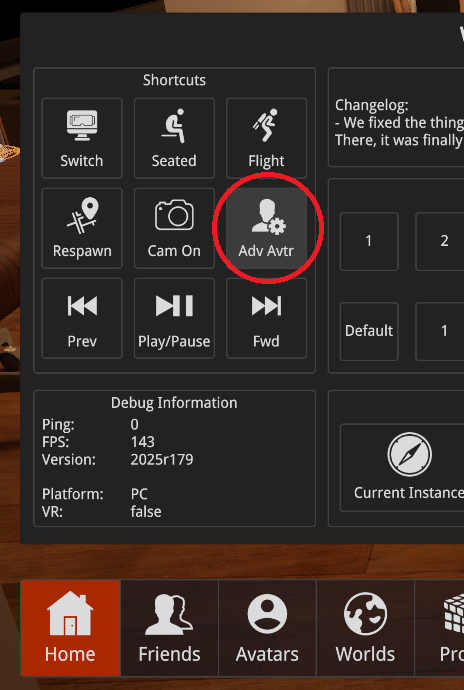
In
🌆 ChilloutVR
, use the Adv Avtr button in the main large menu.